
Commercial Feature
Turn Photos into Ghibli Art Free with AI Editor
Have you ever watched a Studio Ghibli film and wished you could step right into its beautiful, hand-painted world? The magical forests, cozy towns, and delicious-looking food have a unique charm that captures the imagination. For years, creating this kind of art required great artistic skill and expensive software. But now, that’s all changed.
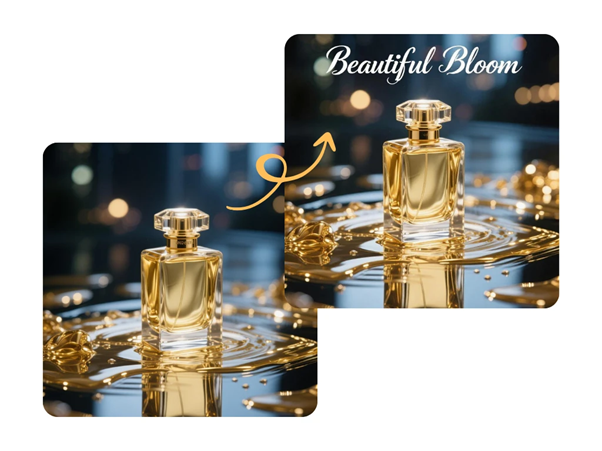
Thanks to incredible advances in artificial intelligence, you can transform your own photos into stunning Ghibli-style illustrations in just a few clicks. You don’t need to be an artist or a tech wizard. All you need is the right tool, and you can start creating your own whimsical masterpieces today. The best part is that you can get started with a Free AI image editor online that makes the entire process simple and accessible for everyone.
What Makes the Ghibli Art Style So Special?
Before we jump into the “how,” let’s explore what makes the Ghibli aesthetic so beloved. Understanding these core elements will help you choose the best photos and refine your AI-generated images.
The style, made famous by films like “Spirited Away” and “My Neighbor Totoro,” isn’t just one thing. It’s a combination of several artistic choices that create a feeling of wonder and nostalgia.
Key Characteristics of the Ghibli Look:
* Lush, Painterly Backgrounds: Ghibli films are known for their incredibly detailed and beautiful backgrounds. They often look like watercolor paintings, with soft textures, rich colors, and a deep appreciation for nature. Think of rolling green hills, fluffy white clouds, and ancient, moss-covered trees.
* Soft and Natural Color Palettes: The colors are vibrant but rarely harsh. You’ll see a lot of earthy greens, sky blues, warm yellows, and gentle reds. The lighting often feels soft and diffused, as if you’re looking at the world during a perfect golden hour.
* Expressive and Simple Characters: While the backgrounds are complex, the characters are often drawn with clean lines and simple features. This contrast makes them stand out and allows their emotions to be conveyed with subtle expressions.
* A Sense of Nostalgia and Wonder: Above all, the Ghibli style evokes a feeling of peaceful nostalgia and everyday magic. It finds the beauty in simple moments, like a train ride through the countryside or a quiet afternoon in a sunlit room.
The Best Tool for Ghibli-Style Photo Transformations
When it comes to turning your photos into anime art, not all tools are created equal. Many AI generators can produce generic anime styles, but very few can truly capture the specific look and feel of a Ghibli film. For this task, one tool stands out for its quality, ease of use, and stunning results.
The PhotoEditorAI platform offers a dedicated Ghibli-style feature that has been trained to understand the nuances of this specific aesthetic. It goes beyond simple filters by using a sophisticated algorithm to reinterpret your photo’s content, colors, and composition in the iconic art style. Using a dedicated Free AI Ghibli style photo editor online ensures you get results that feel authentic and artfully crafted, not just processed. It’s the ideal choice for anyone looking to achieve this look without a steep learning curve.
Step-by-Step Guide: Your Photo to Ghibli Masterpiece
Ready to create your own Ghibli-inspired art? The process is surprisingly simple. Follow these steps to transform your favorite photos into something magical.
Step 1: Choose the Right Photo
The quality of your final image depends heavily on the photo you start with. For the best results, look for pictures with these qualities:
* Clear Subjects: Photos of people, pets, or distinct objects work very well. Make sure your main subject is in focus.
* Good Lighting: Images that are well-lit, preferably with natural light, tend to produce more vibrant and detailed results. Avoid photos that are too dark or have harsh, unflattering shadows.
* Landscapes and Nature: Ghibli’s style shines with natural scenery. Photos of forests, fields, gardens, coastlines, and even charming city streets are perfect candidates.
Step 2: Navigate to the AI Editor
Open your web browser and go to the PhotoEditorAI website. You’ll find a straightforward interface without a lot of clutter. You don’t need to create an account or download any software to get started, which makes the process quick and convenient. Look for the button to upload your image.
Step 3: Upload and Apply the Ghibli Style
Once you’ve selected your photo, upload it to the editor. The tool will then present you with various style options. Select the “Ghibli Style” or a similar anime preset. The AI will immediately get to work analyzing your image. It identifies the key elements, like the sky, trees, buildings, and people, and begins reimagining them in the signature art style. This process usually only takes a few seconds.
Step 4: Refine and Adjust (If Needed)
The AI often produces a fantastic result on the first try. However, you can experiment to get the look just right. You might try uploading the same photo but cropped differently to see how the AI focuses on various details. You can also try adjusting the intensity of the effect if the tool provides that option. Sometimes a subtle change can make a big difference.
Step 5: Download and Share Your Creation
Once you’re happy with your Ghibli-style artwork, you can download it directly to your device. The downloaded images are typically high-resolution, making them perfect for sharing on social media, using as a unique phone wallpaper, or even printing as a piece of personal art.
Tips for Getting the Best Ghibli-Style Results
Using the AI tool is easy, but a few extra tips can help you elevate your creations from good to truly breathtaking.
* Start with High-Resolution Photos: The more detail the AI has to work with, the better. A sharp, clear photo will result in a more detailed and intricate final artwork.
* Landscapes Are a Great Starting Point: Because nature is such a core theme in Ghibli films, landscape photos often produce the most authentic-looking results. Try a photo of a local park, a hiking trail, or your own backyard garden.
* Focus on Photos with Depth: Images with a clear foreground, middle ground, and background give the AI more information to create a rich, layered scene, just like the ones you see in the movies.
* Simplify Your Prompts: If the tool allows for text prompts, keep them simple. Phrases like “Ghibli style, beautiful landscape, soft sunlight” are more effective than overly complex commands. Let the AI do the heavy lifting.
* Don’t Be Afraid to Experiment: Try different types of photos to see what works best. A picture of your pet, a favorite building, or a plate of food can all be transformed into something magical.
Why Use an AI Editor Instead of Traditional Methods?
For decades, creating art in a specific style meant years of practice or mastering complicated programs like Adobe Photoshop and Illustrator. AI image editors have completely changed the game.
* Accessibility: You don’t need any artistic talent or technical knowledge. If you can upload a photo, you can create Ghibli-style art.
* Speed: What would take a professional artist hours or even days to draw by hand, an AI can generate in under a minute.
* Cost: Professional art software can be expensive, and hiring an artist for a custom piece costs even more. The AI Ghibli editor is free to use, putting creative power in everyone’s hands.
* Creativity: It’s a fun way to see your own world through a different lens. You can rediscover the beauty in your everyday photos by transforming them into enchanting works of art.
Frequently Asked Questions (FAQ)
What kind of photos work best for the Ghibli style?
Landscape photos, nature scenes, and pictures of quaint architecture are ideal. Portraits of people and pets also work wonderfully, as the AI is skilled at simplifying features into the classic anime style while retaining the subject’s likeness.
Is it really free to use?
Yes, the core features of the PhotoEditorAI Ghibli style tool are available for free. This allows you to experiment and create beautiful images without any cost.
Do I need any artistic skills to use this tool?
Absolutely not. The tool is designed for everyone, regardless of artistic ability. The AI handles all the complex artistic work for you. Your main job is to provide a photo you love.
Can I use the generated images for commercial purposes?
This often depends on the terms of service of the specific AI tool you are using. For personal use, like social media posts or wallpapers, you are generally fine. If you plan to use an image for business, it’s always a good idea to check the platform’s usage policies first.
A New Way to See Your World
Creating art in the style of Studio Ghibli is no longer a distant dream reserved for professional artists. With powerful and accessible AI tools, anyone can now infuse their personal photos with the magic, wonder, and nostalgic beauty of this beloved aesthetic.
It’s a fun, simple, and incredibly rewarding process. You can bring a new perspective to your favorite memories and share them in a completely unique way. So find a photo that inspires you and give it a try. You might be surprised at the beautiful world waiting to be discovered within your own camera roll.
 News / Missing Sidgwick sculpture spotted in Oxford 1 April 2026
 News / Downing law society banned from holding formals in College for a year31 March 2026
 Features / Hyper-productive or healthy? The rise of wellness culture at Cambridge1 April 2026
 News / Homerton plans to convert former Labour Club into student accom1 April 2026
 News / International students complain of ‘impossible choice’ under Cambridge travel disruption policy28 March 2026
 News / Record-breaking £190 million donation will fund new Cambridge School of Government2 April 2026
 Interviews / Cambridge SU presidents on divestment, engagement and the role’s challenges1 April 2026
- Features / Hyper-productive or healthy? The rise of wellness culture at Cambridge1 April 2026
 Film & TV / Awards season goes to the dogs1 April 2026
- News / Homerton plans to convert former Labour Club into student accom1 April 2026
