
Commercial Feature
AI Detector Review 2026: Is Detector.io Accurate?
Is Detector.io the Most Accurate AI Detector Tool? Full Review 2026
Writing in 2026 feels different because AI is everywhere in the drafting process. People use it to sketch outlines, polish sentences, tighten tone, or translate ideas into cleaner English. The result is that a lot of content now shares the same “too smooth” rhythm, even when a real person did most of the work. That’s why AI detectors have become a normal step in publishing workflows, similar to running a quick spellcheck before you hit send.
Detector.io is one of those sites people reach for when they need to detect AI fast and move on with their day. The pitch is simple: paste text, get a score, see highlights, fix what looks suspicious, and submit with fewer surprises. But is it accurate? In this review, I focused on what you actually get from AI detector with unlimited checks, where accuracy tends to wobble, and what kind of workflow makes the results useful.
What Is Detector.io?
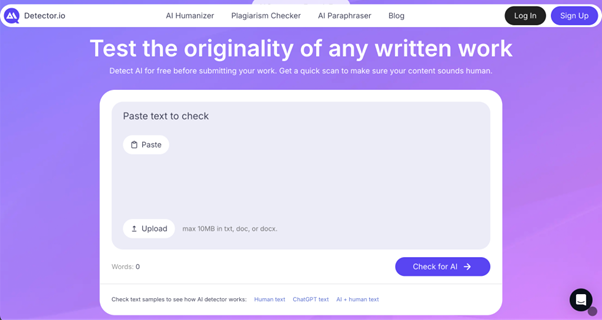
Detector.io is a browser-based AI detection site that scans your writing for patterns that often show up in machine-generated text, then reports a score and highlights sections that look risky. Its purpose is straightforward: give you a quick reality check before you submit an essay, publish a post, or send something to a client.
Think of it as an AI detect checkpoint. It offers signals about pattern-likeness, then you decide what to do with them.
Who it’s built for:
- College students polishing essays and drafts before submission
- Content writers who want a second opinion on tone and “AI smoothness”
- Editors reviewing mixed drafts created by multiple contributors
- Teams that need quick checks without signing up first
Key Features of the AI Detector Online
Detector.io keeps the feature set tight and practical. You avoid a dashboard, and the core scan is designed to feel quick.
Here are the features that matter most in day-to-day use:
- Highlighting of likely AI passages. Instead of only showing a percentage, it marks sections that appear AI-generated so you know where to revise first.
- Free scans up to a 3,000-word cap. You can run a check without logging in, as long as each scan stays under the limit.
- Fast, “paste and go” interface. The home page positions the scan as a quick step. You skip a setup flow.
- Extra tools for cleanup. The site links detection with rewriting help, like an AI humanizer and paraphrasing, plus a plagiarism checker for originality checks.
A small but important detail: the site says the detector currently supports English only. If you write in German, Spanish, or anything else, the score is far less meaningful.
What “Accuracy” Means for a College AI Detector
When people ask, “Is it accurate?”, they usually mean: can it catch AI writing, and can it avoid accusing humans by mistake?
False Positives
A false positive is human writing that gets flagged as AI. This is the scary one, because it can trigger stress, extra work, or a messy conversation with a teacher.
The bias risk is real. A widely cited 2023 study tested several detectors on TOEFL essays and found an average false-positive rate of around 61% for those non-native English samples, with at least one detector flagging 97.8% of the essays. Different detectors behave differently, yet the takeaway stays the same: treat any “AI” label as a probability and verify it with your own review.
Jisc made a point that hits hard in practice: even a 1% false-positive rate can create about 4,800 false positives a year at a large institution-scale workload. That’s why “low false positives” still matters a lot.
False Negatives
A false negative is AI-written text that slips through. This happens more often than people expect, especially if the draft is lightly edited.
A separate reality check: Turnitin told reporters its detector had reviewed over 200 million papers and flagged 11% as having at least 20% AI writing, and 3% as 80% or more. Those numbers are useful mainly because they show the scale of the problem. AI presence is common, and detection is a trend signal, far from courtroom evidence.
What Detector.io Shows You
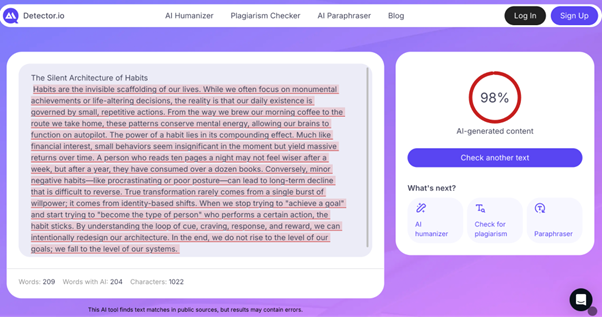
Detector.io leans into the “signals” approach. You get a score and highlighted segments, and you’re supposed to revise the flagged areas rather than stare at the percentage. That’s the right direction for an AI detector, because it helps you take action.
Here’s the mindset shift that made the scores useful: treat the detector like a highlighter, then keep your own voice as the final filter. If a line gets flagged, ask two questions. Does it sound like your phrasing, or like a generic template? Does it add a concrete detail, or does it float in abstractions? Small edits usually help: swap in a specific example, change one sentence length, and add one opinionated verb from your notes.
How Detector.io Detects AI Writing
Detector.io explains its approach in plain language: it looks for patterns that show up more often in machine-generated writing, such as repetition, predictability, and uniform structure. If you are using it as an AI detector for essays, that matters because essays have a “school voice” that can already feel uniform.
Pattern-Based Analysis, Not Keyword Tricks
The site says it avoids simple keyword matching and instead analyzes sentence structure, word distribution, repetition, and predictability. In other words, it is watching for rhythm and sameness.
Comparing Against Human and Machine Samples
Detector.io describes comparing your text to large datasets of human-written and machine-generated samples, then estimating how closely your writing matches typical AI output.
English-Only Focus
The tool says it supports English only for now, and frames this as a way to keep accuracy higher. If you write in English as a second language, interpret the score with care, and lean more on the highlighting than the final percentage.
My Testing Method for This AI Detector Free Online Review
I tested Detector.io the way most people actually use an AI detector: quick scans, mixed drafts, and edits that happen under time pressure.
Test Design
I used four text types: a fresh human paragraph in a casual voice, a raw AI paragraph with minimal edits, a mixed draft that started with AI and then got rewritten by hand, and a formal academic paragraph written by a human (because “school voice” can read as uniform).
How Results Were Recorded
I tracked the score trend and what got highlighted, then checked whether the highlights made sense based on the draft’s origin and tone.
Test Scenarios and Outcomes
| Scenario | Text type | What Detector.io highlighted | Score trend | Notes |
| Fresh human draft | Human | A few generic transitions | Low | Highlights were mostly “template-y” lines |
| Raw AI paragraph | AI | Most of the paragraph | High | Flagged repetition and uniform sentence length |
| Mixed draft, edited | Mixed | Specific polished blocks | Medium | Helped locate sections that still felt AI-smooth |
| Formal academic tone | Human | Dense, even pacing | Medium | Shows the risk zone for “school voice” text |
| AI paragraph, paraphrased | AI + rewrite | Patchy highlights | Medium | Some AI residue still popped up |
Overall, the positive result was consistency: when a section was clearly robotic, Detector.io usually pointed at the right area, which is what you want from a tool like this.
How Detector.io Performs
Now for the part you actually care about: how it behaves when you use it on real drafts.
In my tests, Detector.io performed best when the text had obvious AI fingerprints: repeated phrasing, very even sentence lengths, and a polite, generic tone that never takes risks. In those cases, the highlights were specific enough that you could rewrite a few lines and watch the score settle down. That “highlight first, edit fast” loop is the main reason to use a detector in the first place.
The tool was less decisive with mixed drafts, which is fair. In 2025, HEPI reported that 18% of students said they had included AI-generated text directly in their work. In real life, a draft often contains a sentence that came from AI, a sentence you rewrote, and a sentence you wrote at 2 a.m. Detector.io tended to flag the parts that still felt “over-smoothed,” which matched my expectations.
Where it can feel tricky is formal academic writing. A careful, structured paragraph can come across as predictable, especially if you rely on safe transitions and repeat the same sentence shape. In those scenarios, Detector.io sometimes highlighted lines that were human-written but sounded templated. I treated that as a style nudge: vary rhythm, add a concrete detail, and switch a few bland verbs.
One more reason accuracy feels complicated: a lot of people use AI now, and the line between “assisted” and “authored” has blurred. Pew Research reported that teen use of ChatGPT for schoolwork rose from 13% in 2023 to 26% in 2024. When a writing habit becomes common, detectors end up chasing patterns that are spreading across human writing, too.
If your goal is to detect AI text with confidence, the best approach is to look at the highlighted segments, then read those sentences out loud. If they sound like something you’d say, keep them. If they sound like a polite robot, rewrite them.
Is This a Free AI Detector Online?
Yes, the core AI detection scan is free, and Detector.io says you can scan up to 3,000 words per check without creating an account. If your paper is longer, you can split it into sections and run multiple scans.
The site also promotes related tools like a plagiarism checker and paraphrasing. The plagiarism checker page describes a report that can show matched content and a way to rewrite flagged sections inside the tool.
There is also mention of “extra support,” described as professional editing help for flagged sections. The site does not present clear pricing on the public pages I reviewed, so treat that part as an optional add-on that may involve a quote or a paid flow.
A Practical Workflow for Using Detector.io
If you want Detector.io to feel like an advanced AI detector instead of a stress machine, use a repeatable workflow. Here’s the checklist that worked best for me:
- Paste one section at a time (intro, one body chunk, then conclusion) and scan each chunk separately.
- Ignore the urge to “chase zero.” Aim for fewer highlighted lines, not a perfect score.
- Rewrite highlighted lines with specific nouns, real examples, and a more personal cadence.
- Re-scan only the section you changed, so you can see what improved.
- Run a quick plagiarism scan if you used sources or paraphrased heavily.
- Do a final read for your voice: sentence length variety, natural transitions, and a few details that prove a human wrote it.
This approach also helps with the main risk that Jisc warns about: false positives create real workload and real stress. A workflow keeps you focused on edits you can defend.
Pros and Cons
Detector.io is easy to use for quick checks, and it has a few clear strengths:
- Free scans up to 3,000 words without sign-up
- Highlights likely AI passages, so you know where to revise
- Fast, simple interface that fits a last-minute workflow
- An English-only focus keeps expectations clearer
- Built-in ecosystem with plagiarism checking and rewriting options
- Support contact is visible, which helps if something goes wrong
A possible downside is that any detector can misread formal or second-language writing, so the highlight view deserves more trust than a single score.
So, Is Detector.io the Most Accurate Free AI Detector Tool?
“Most accurate” is a tough crown to hand out, because accuracy depends on your writing style, your language background, and how edited the text is. Even OpenAI retired its own AI classifier after calling out low accuracy, with one published evaluation reporting only 26% true positives and a 9% false-positive rate on its challenge set. That history is a reminder: every detector is probabilistic.
With that said, Detector.io earns its place as a very usable free AI detector. It gives you a quick score, highlights the parts you can actually improve, and lets you run meaningful checks without paying or creating an account.
If you want one sentence advice: use Detector.io for triage. Let it point you to the lines that feel too polished, then rewrite those lines so they sound like you.
 News / Missing Sidgwick sculpture spotted in Oxford 1 April 2026
 Features / Hyper-productive or healthy? The rise of wellness culture at Cambridge1 April 2026
 News / Record-breaking £190 million donation will fund new Cambridge School of Government2 April 2026
 News / Homerton plans to convert former Labour Club into student accom1 April 2026
 News / Downing law society banned from holding formals in College for a year31 March 2026
 Fashion / A taste of the glamorous life4 April 2026
 Lifestyle / Take a punt, and try canoeing!3 April 2026
 News / Cambridge alumnus Matt Brittin appointed BBC director-general3 April 2026
 Arts / In defence of decorative poetry3 April 2026
- News / Record-breaking £190 million donation will fund new Cambridge School of Government2 April 2026
